

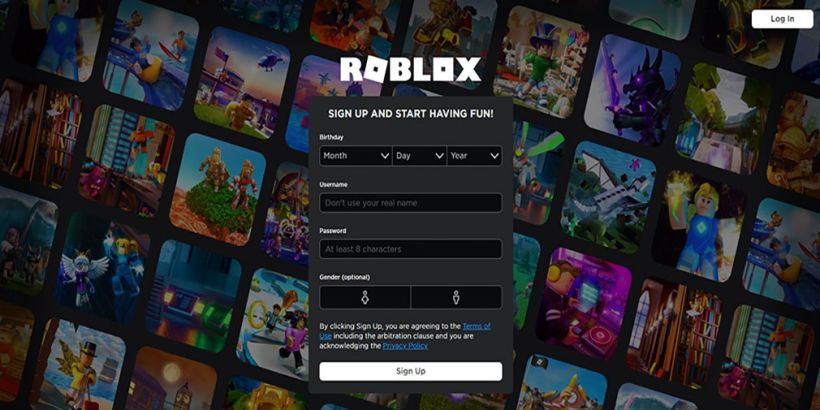
Introduction
Can’t get into your Roblox account — or keep running into the same frustrating error screen? You’re not alone. Millions of players deal with roblox login issues every single day, and the good news is that almost every problem has a simple fix.
Whether you’re a brand-new player setting up your first account or a seasoned gamer locked out of your profile, this guide has everything you need. We’ll walk you through exactly how to log in on any device, fix common errors, reset your password, and keep your account safe in 2026.
Let’s get started.
Table of Contents
What is Roblox Login?
Roblox is one of the world’s most popular online gaming platforms, with over 200 million registered users. It lets you play thousands of user-created games, build your own worlds, and connect with friends — all for free.
The roblox login is simply the process of signing into your Roblox account using your username (or email) and password. Once you’re logged in, you get full access to your games, avatar, friends list, Robux balance, and everything else tied to your profile.
Without logging in, you can browse Roblox but can’t play games, chat, or access your inventory. That’s why getting the login right — and fixing it when it breaks — matters so much.
How to Login to Roblox (Step-by-Step Guide)
Login on PC
Logging in on a Windows or Mac computer is quick and straightforward.
- Open your web browser and go to roblox.com
- Click the Log In button in the top-right corner
- Enter your Username or Email address
- Type your Password
- Click the Log In button
- If 2-Step Verification is enabled, enter the code sent to your email or phone
That’s it! You should now be on your Roblox home page.
Tip: If you play Roblox regularly on PC, download the Roblox desktop app from the website. It loads faster and gives you a smoother experience than the browser version.
Login on Mobile (Android / iPhone)
The Roblox app is available for both Android and iOS devices. Here’s how to log in:
- Open the Roblox app on your phone
- On the home screen, tap Log In
- Enter your Username or Email
- Enter your Password
- Tap Log In
- Complete 2-Step Verification if prompted
If you don’t have the app yet, download it from the Google Play Store (Android) or Apple App Store (iPhone/iPad). It’s free.
Login Using a Browser
You can log into Roblox from any browser — Chrome, Firefox, Safari, or Edge. Here’s how:
- Visit www.roblox.com in your browser
- Click Log In at the top of the page
- Type your username or email and password
- Click Log In
- You may be asked to verify your identity via email — check your inbox and click the verification link
Works on both desktop and mobile browsers without needing the app installed.
Common Roblox Login Problems & Fixes
This is the most important section if you’re stuck. Here are the most frequent roblox login problems and how to fix them fast.
Forgot Password
This is the number one reason people can’t log in. If you’ve forgotten your password:
- Go to roblox.com and click Forgot Password or Username?
- Enter the email linked to your account
- Check your inbox for a reset email from Roblox
- Click the link and create a new password
- Log in with your new password
No email on file? If you didn’t add an email when you signed up, you may need to contact Roblox Support directly with proof of account ownership.
Incorrect Username or Password
Getting an “incorrect credentials” error? Try these steps:
- Double-check that Caps Lock is not on — passwords are case-sensitive
- Make sure you’re using your username, not your display name
- Try logging in with your email address instead of username
- Clear your browser’s cache and cookies, then try again
- Try a different browser or device to rule out a local issue
Account Hacked or Compromised
If someone has accessed your account without your permission:
- Use the Forgot Password option immediately to reset your credentials
- Check your registered email for any login alerts from Roblox
- Contact Roblox Support at roblox.com/support and report the issue
- Review your account’s spending history and report any unauthorized Robux use
- Once back in, enable 2-Step Verification right away
Roblox Login Not Working
If the login page itself is broken or you can’t get past it:
- Check Roblox’s status page (status.roblox.com) — there may be an ongoing outage
- Clear your browser cache and try reloading the page
- Disable browser extensions, especially ad blockers, which can interfere with login scripts
- Try logging in from a different browser or device
- Restart your router — a network issue can sometimes block the login server
- Make sure your date and time settings on your device are correct
Server Issues
Roblox occasionally goes down for maintenance or experiences unexpected outages. Signs of a server issue include:
- The login page loads but the button doesn’t respond
- You get a generic “something went wrong” message
- Thousands of users reporting the same issue on social media
Fix: Visit status.roblox.com to check current server status. If there’s an outage, all you can do is wait. Roblox typically resolves these within a few hours.
Roblox Password Reset Guide
Resetting your Roblox password is easy if you have access to your registered email. Here’s the full process:
- Go to roblox.com and click Log In
- Below the login form, click Forgot Password or Username?
- Select Email and enter the email address tied to your account
- Click Submit
- Open your email inbox and look for a message from noreply@roblox.com
- Click the Change Password button inside the email
- Enter your new password twice to confirm
- Click Submit — your password is now updated
- Return to the login page and sign in with your new password
Important tips:
- Use a strong password with a mix of letters, numbers, and symbols
- Don’t reuse a password you’ve used on other sites
- If you don’t receive the email within a few minutes, check your spam/junk folder
Roblox Account Recovery
Losing access to your Roblox account — whether through a hack, forgotten credentials, or a lost email — is stressful. Here’s what to do.
If you remember your email but forgot your password: Use the password reset process above.
If your account was hacked:
- Try the password reset immediately before the hacker changes the email
- If the email has already been changed, contact Roblox Support at roblox.com/support
- Provide your original username, billing information, and any other proof of ownership
- Roblox Support can verify your identity and restore access
If you never added an email to your account:
- This makes roblox account recovery harder, but not impossible
- Contact Roblox Support and provide your username, the approximate date you created the account, and any Robux purchase history
- Roblox will try to verify ownership before restoring access
Prevention is the best cure: Always add a verified email to your account and enable 2-Step Verification.
Roblox Login Safety Tips
Keeping your Roblox account secure is just as important as knowing how to log in. Here’s how to stay safe.
Avoid Scams
- Never share your password with anyone — Roblox staff will never ask for it
- Be suspicious of websites claiming to give free Robux — these are almost always phishing scams designed to steal your login
- Don’t click links sent by strangers in Roblox chat or Discord claiming to be “Roblox promotions”
- Only log in at the official website: roblox.com
Enable 2-Step Verification
2-Step Verification (2SV) adds an extra layer of security. Even if someone knows your password, they can’t log in without the verification code.
To enable it:
- Go to Settings → Security
- Toggle on 2-Step Verification
- Choose your verification method (email or authenticator app)
- Follow the prompts to confirm
Secure Password Tips
- Use at least 12 characters
- Mix uppercase letters, lowercase letters, numbers, and symbols (e.g.,
R0blox#Secure!) - Avoid using your username, birthday, or common words
- Use a password manager to store it safely
- Change your password every 3–6 months as a good habit
Roblox Login on Different Devices
PC (Windows / Mac)
Use the Roblox website at roblox.com or download the Roblox desktop app. The desktop app is recommended for the best performance and stability.
Android
Download the Roblox app from the Google Play Store. Supports Android 5.0 and above. Log in with your username/email and password directly in the app.
iPhone
Download the Roblox app from the Apple App Store. Compatible with iOS 14 and later. The login experience mirrors the Android version.
Tablet
Both Android tablets and iPads support the Roblox app. Download it from the relevant app store. The interface adapts to the larger screen automatically, and login works the same as on phones.
Troubleshooting Table
| Issue | Likely Cause | Solution |
|---|---|---|
| “Incorrect username or password” | Typo, wrong credentials, Caps Lock on | Check caps lock, try email instead of username |
| Login page won’t load | Server outage, browser issue | Check status.roblox.com, clear cache |
| Verification email not arriving | Wrong email, spam filter | Check spam folder, verify registered email |
| Kicked out after logging in | Session expired, account flagged | Clear cookies, contact Roblox Support |
| 2-Step Verification code not working | Code expired, wrong device time | Request a new code, sync device time |
| “Too many login attempts” | Multiple failed attempts | Wait 10–15 minutes, then try again |
| App crashes on login | Outdated app version | Update the Roblox app from your app store |
| Login works but games won’t load | Connection or firewall issue | Check internet connection, disable VPN |
Frequently Asked Questions (FAQs)
- How to login to Roblox without a password?
You can’t log in without a password directly, but if you’ve forgotten yours, use the Forgot Password link on the login page. A reset link will be sent to your registered email. If you don’t have an email on your account, you’ll need to contact Roblox Support for manual account recovery.
- Why is Roblox login not working?
There are several possible reasons: server outages, incorrect credentials, browser issues, or account security flags. Start by checking status.roblox.com for any active outages. If the servers are fine, try clearing your browser cache, using a different browser, or resetting your password.
- How to recover a Roblox account?
If you have access to your email, use the password reset feature. If your account was hacked and the email was changed, contact Roblox Support immediately with your username, account creation date, and any billing history. The sooner you act, the better your chances of recovery.
- Is Roblox login safe?
Yes — logging in through the official Roblox website or app is completely safe. The risk comes from third-party sites and scams. Always log in only at roblox.com and never share your password with anyone.
- Can I login to Roblox on multiple devices?
Yes, you can be logged into Roblox on multiple devices at the same time. Your account, inventory, and progress sync automatically across all devices. Just use the same username and password on each one.
- How to fix Roblox login errors?
The most effective fixes are: clearing your browser cache, trying a different browser, checking for server outages at status.roblox.com, resetting your password if credentials are wrong, and disabling browser extensions. If none of these work, contact Roblox Support for further help.
Conclusion
Getting a smooth roblox login experience really comes down to a few key things: using the right credentials, keeping your account secure, and knowing what to do when something goes wrong.
To recap what we’ve covered:
- How to log in on PC, mobile, and browser — step by step
- How to fix the most common roblox login problems, including forgotten passwords, hacked accounts, and server errors
- How to reset your password and recover your account
- How to stay safe with 2-Step Verification and strong passwords
If you follow this guide, you’ll be back in your Roblox world in minutes — no frustration, no guesswork.
Still stuck? Head to the official Roblox Support page at roblox.com/support and submit a ticket. Their team can help with anything from roblox account recovery to billing disputes.
Now go build, explore, and play. Your Roblox adventure is waiting.
